
 Star on GitHub
Record traffic. Test in CI. Ship faster.
Capture browser traffic, auto-generate multi-step YAML test workflows, and run them in any pipeline with a single Go binary. How to record traffic →
- Record real traffic → auto-generate multi-step API tests
- YAML export for Git review and CI/CD pipelines
- Parallel execution with JUnit/JSON reports
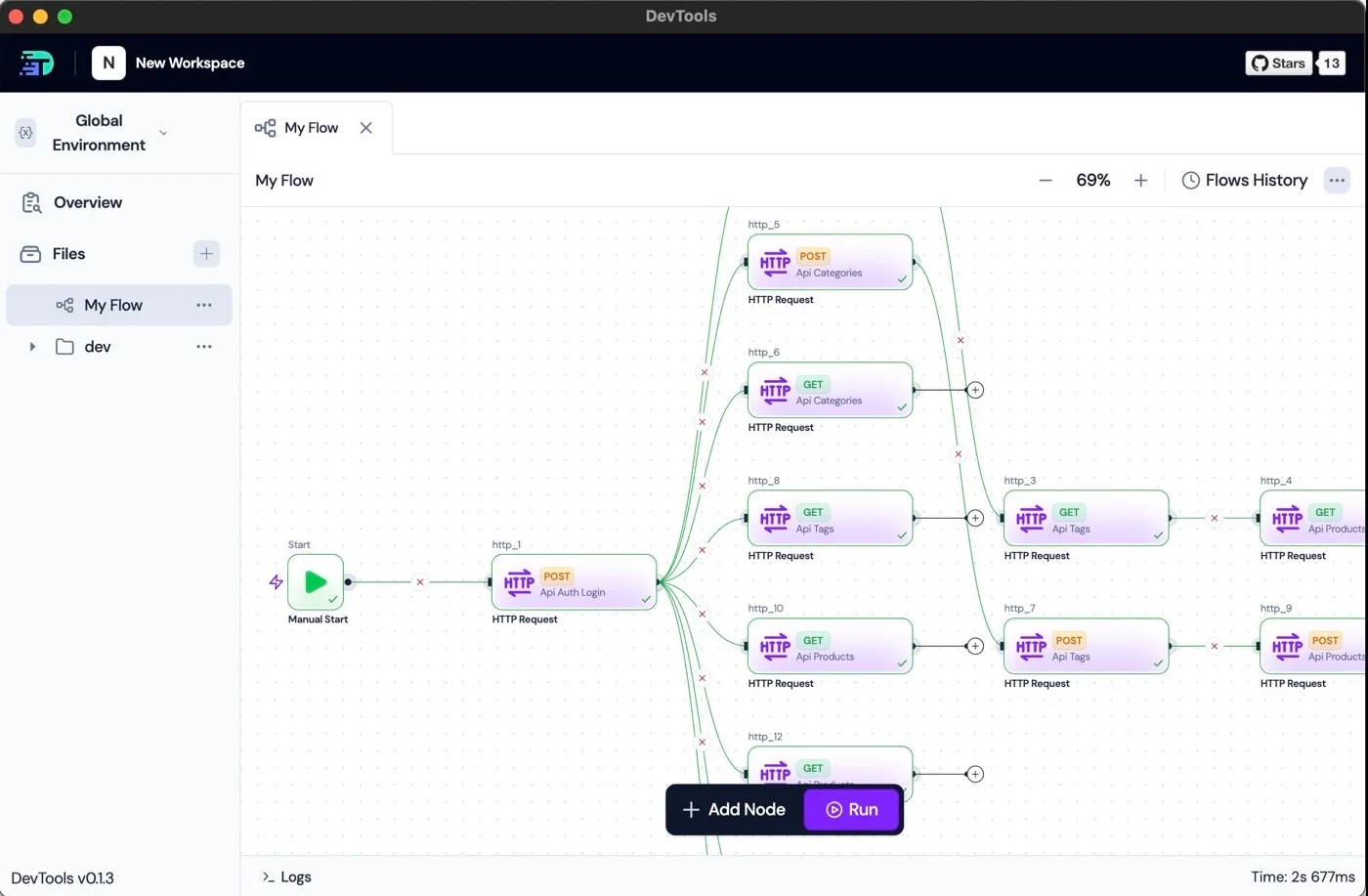
- Multi-stepAPI tests
- CI-readyJUnit reports
- Open sourceLocal-first
Build multi-step API tests in four steps
Record real traffic, chain requests with auto-mapped variables, export to YAML, and run end-to-end API tests in CI.
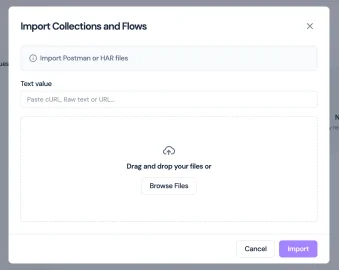
1. Capture API traffic from your browser
Record a HAR from Chrome DevTools or a proxy and import it. DevTools parses every request, header, and auth token automatically.
- • Chrome DevTools → Save all as HAR
- • Sensitive data safe: process happens locally
2. Chain requests with auto-mapped variables
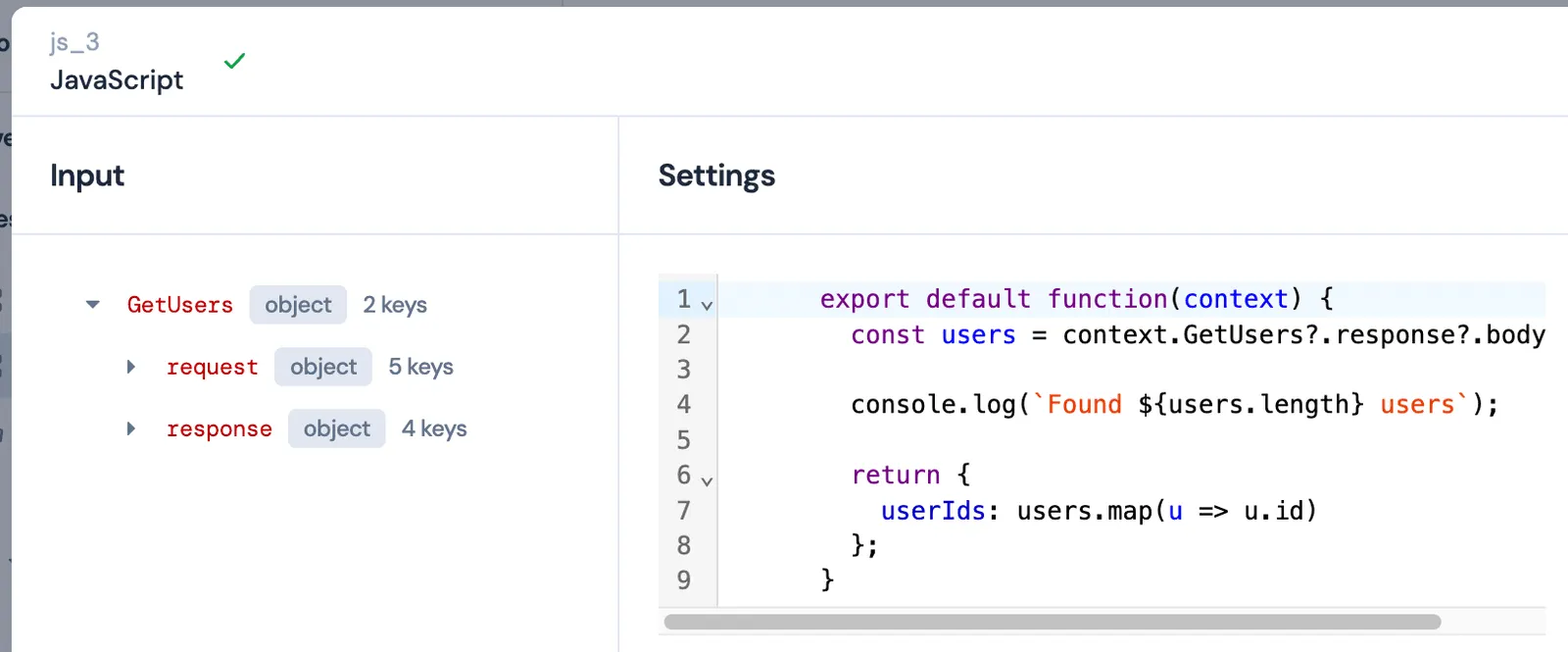
DevTools extracts tokens and IDs from responses and maps them to subsequent requests. Fine‑tune variable passing with JSONPath‑based overrides.
- • Auto‑mapped variables from responses
- • Override rules per step
3. Build multi-step test flows visually
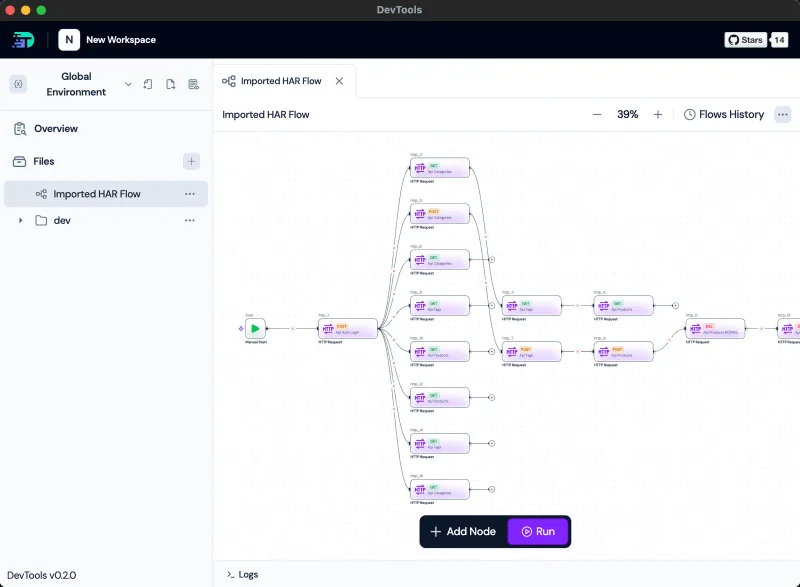
Use a visual canvas to organize API requests, add assertions, and set dependencies between steps. Export clean YAML for code review.
4. Export YAML and run API tests in CI
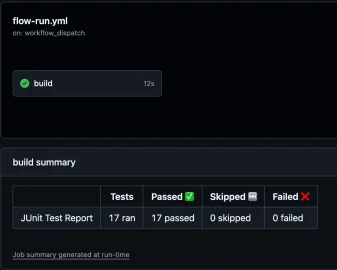
Export human-readable YAML for Git review, then run end-to-end API tests in CI with parallel execution, JUnit reports, and clear exit codes.
- • Git‑reviewable flow definitions
- • CLI reports (JUnit/JSON, exit codes)
Scale your API testing when you're ready
Run API tests locally and in CI for free. When your test suite needs more, scale with DevTools Cloud (Roadmap) or self‑host executors.
DevTools Cloud adds
- • Scheduling
- • Multi‑region runs
- • Shared secrets/environments
- • RBAC + audit log
- • Hosted executors + autoscaling
- • Run history + dashboards
Self‑host executors add
- • Run in your VPC
- • Your data residency
- • Your infra control
DevTools vs Bruno vs Postman
Compare API testing tools on multi-step flows, YAML export, CI/CD integration, and open-source availability.
| Capability / Concern | DevTools | Bruno | Postman |
|---|---|---|---|
| Open source | ✅ OSS (desktop + CLI) | ✅ OSS | ❌ Closed; cloud-centric |
| Flows (visual + reusable) | ✅ Flow trees from HAR; visual builder | ❌ No flows | ⚠️ Flows available; export limited |
| HAR → Flow (auto-build from real traffic) | ✅ Yes | ❌ No | ❌ No |
| YAML export of flows (Git-reviewable) | ✅ Yes (per-step overrides) | ❌ No | ❌ No (not for Flows) |
| Variable mapping (step-scoped, JSONPath) | ✅ Automatic, rule‑based (overrides) | ⚠️ Basic vars | ⚠️ Mixed; often script-heavy |
| Assertions & evals (flow-level) | ✅ Rich assertions at flow level | ⚠️ Limited | ⚠️ Mixed; tends to rely on scripts |
| Performance testing & regional locations | 🚧 Roadmap (designed pricing) | ❌ No | ⚠️ Separate add‑ons/monitors |
| Runner tech & speed | ✅ Go-based, multithreaded; parallel by default | ⚠️ JS runtime; slower at scale | ⚠️ Heavier runtime; slower in CI |
| Local-first / offline | ✅ 100% local; no accounts | ✅ Local | ⚠️ Cloud-first; login + sync |
| Scripting model | ✅ Logic in flows (clean reviews) | ⚠️ Limited | ⚠️ Often per-request scripts |
| CI/CD integration | ✅ CLI + JUnit/console outputs | ⚠️ Basic | ⚠️ Possible but heavier, cloud-dependent |
| Collaboration & dependency | ✅ No account required; local‑first | ✅ Local; no account | ⚠️ Requires account for collaboration; cloud‑dependent features |