
 Star on GitHub
DevTools Studio
Local‑first API client and flow builder. Import HAR, build visual flows, export YAML, and run in CI.
Studio
Auto‑selects the right binary for your OS and architecture.
Download StudioApple Silicon and Intel on macOS. x64 on Windows and Linux.
CLI
Run YAML flows in CI with JUnit/JSON outputs and proper exit codes.
curl -fsSL https://sh.dev.tools/install.sh | bashSee the CLI reference.
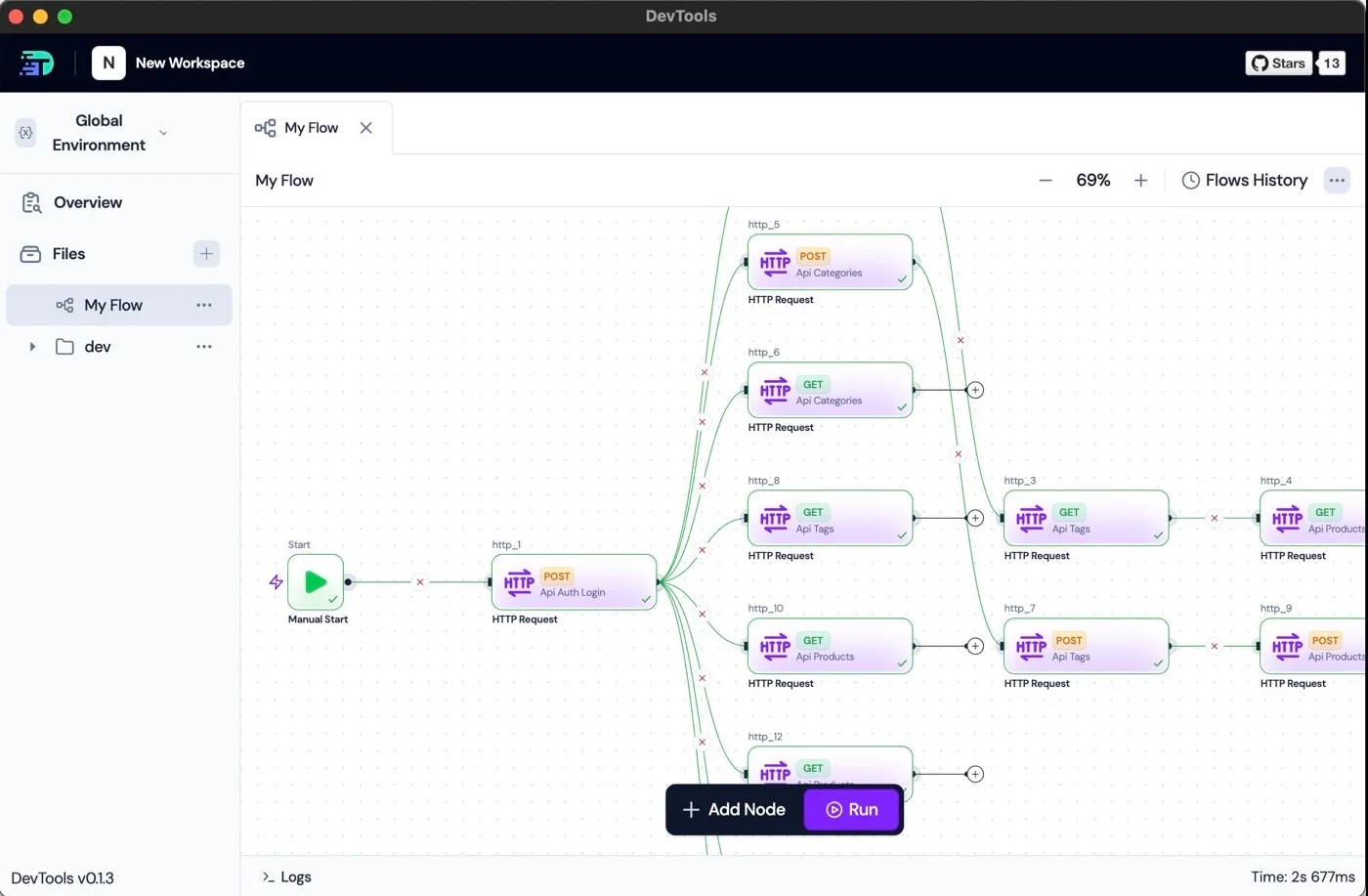
Screenshot: DevTools Studio — flows as files, diffs before export.
Install steps
- macOS: If Gatekeeper prompts, allow from identified developer in System Settings → Privacy & Security.
- Windows: Installer is signed; run as administrator if required.
- Linux: Make AppImage executable (chmod +x), or use .deb/.rpm if preferred.
FAQ
Is it free?
Yes. DevTools Studio and the DevTools CLI are open source under the Apache-2.0 license. View on GitHub.
Does it run offline?
Yes. DevTools is local‑first and does not require an account.
What’s the difference vs CLI?
Studio is the desktop app for building flows; the CLI runs exported YAML flows in CI with JUnit/JSON outputs.