
 Star on GitHub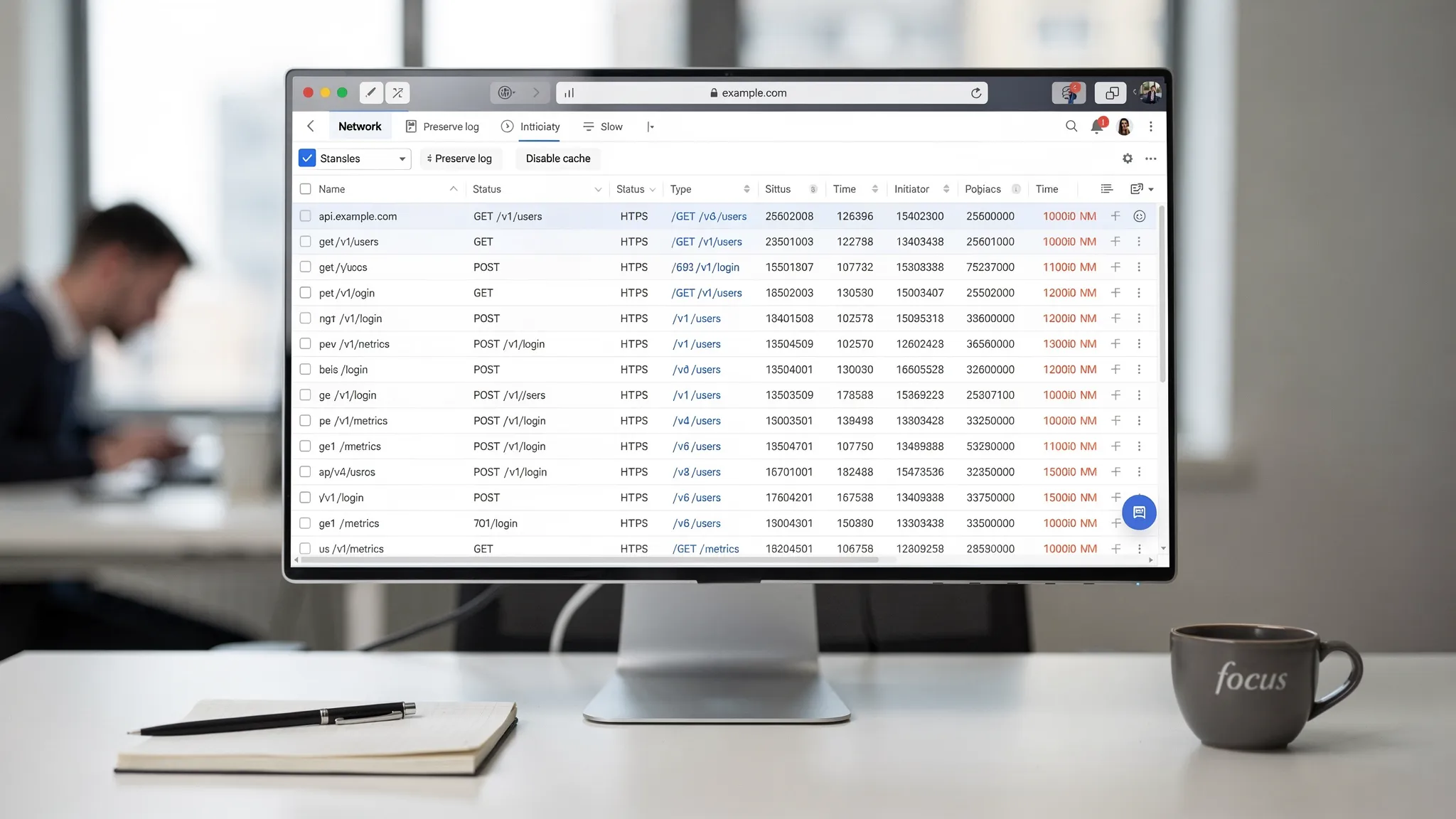
How to Export a Clean HAR in Chrome (No Noise, No Third-Party Requests)
A HAR capture is often the fastest way to get from “this works in the browser” to a reproducible API flow you can turn into Git-reviewed YAML. The problem is that a default Chrome export is usually full of noise: analytics, CDNs, preloads, extension traffic, cached responses, and background requests that make later conversion and variable mapping harder.
This guide is narrowly focused on exporting a clean HAR in Chrome DevTools: minimal, domain-scoped, and suitable for converting into deterministic API tests.
The four settings that matter most
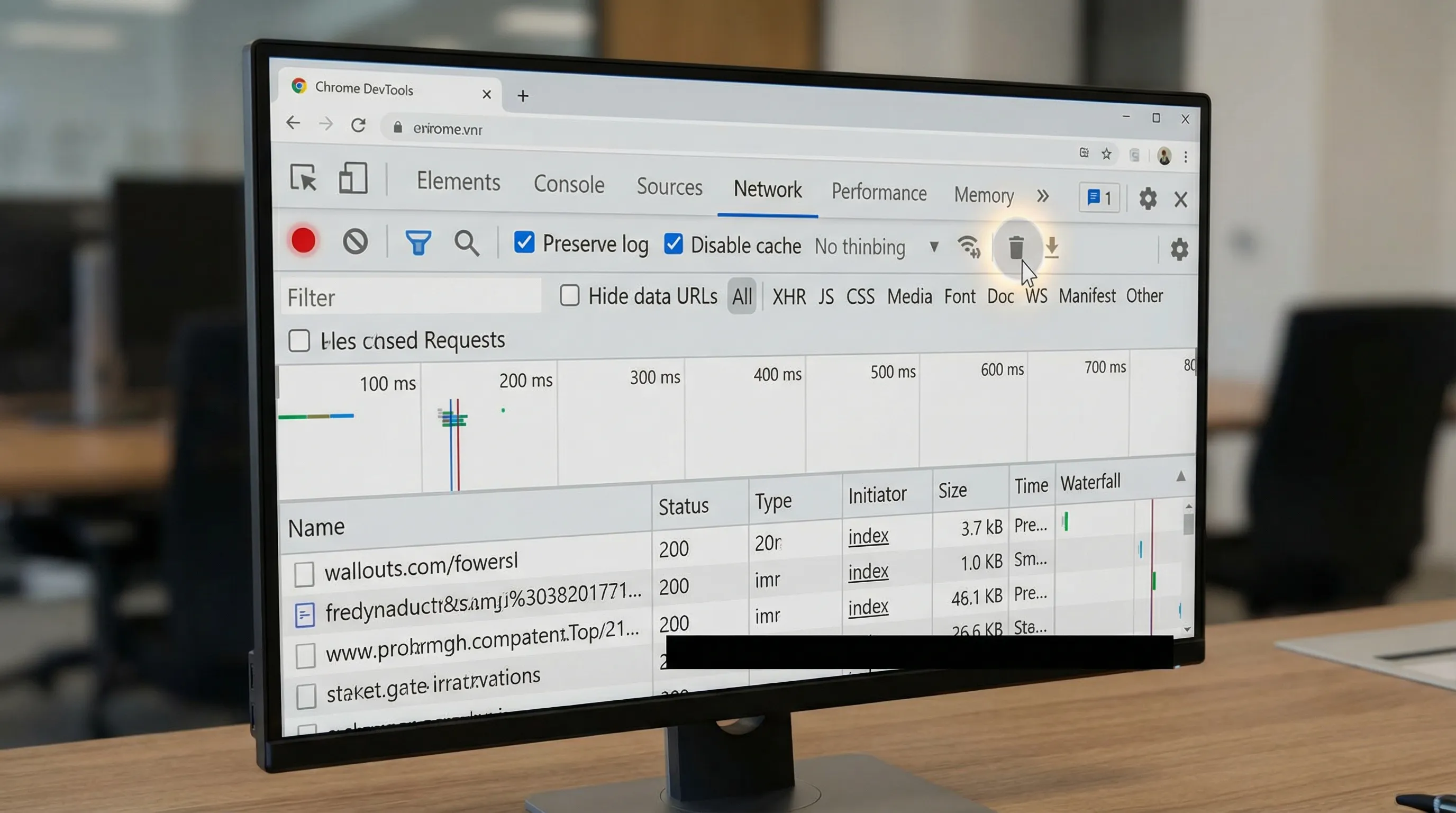
If you only do four things, do these:
- Enable Preserve log
- Enable Disable cache
- Clear the Network log before you record
- Filter to your target domain only before export
Everything else is supporting hygiene.
What “noise” looks like in a HAR (and why you should care)
A HAR is a JSON archive of network activity. For API testing, you usually want a small subset:
- Requests to your API domain(s)
- The request and response bodies for those calls (so you can extract IDs, tokens, CSRF values)
- Just enough headers to reproduce behavior deterministically
Noise typically comes from:
- Third-party hosts (analytics, A/B, error reporting, chat widgets)
- CDN and asset hosts (images, fonts, JS bundles)
- Browser prefetch/prerender behavior
- Service worker caching and revalidation
- Multiple tabs and background refresh
- Extensions injecting traffic
A noisy HAR is not just annoying. It increases the chance you will:
- Accidentally capture secrets or PII in places you do not expect
- Generate brittle tests that depend on irrelevant calls
- End up with non-reviewable diffs when converting to YAML flows
Prep: make the browser predictable
Before opening DevTools, reduce the sources of background traffic.
- Use an Incognito window (reduces extension impact and gives you a clean cookie jar).
- Close other tabs in that window.
- If your workflow allows it, use a staging environment with test data.
If the app relies on extensions (rare, but it happens), prefer a dedicated Chrome profile with only the minimum required extensions enabled.
Open DevTools Network and set capture mode
- Open DevTools (Cmd+Opt+I on macOS, Ctrl+Shift+I on Windows/Linux).
- Go to the Network tab.
- Ensure recording is on (the round record icon is red).
Now set the two options that most directly affect capture quality.
Enable “Preserve log”
Check Preserve log.
Why: you often need a multi-step workflow (login, redirect, callback, API call). Without Preserve log, a navigation can clear requests and you end up missing the call you actually needed.
Enable “Disable cache”
Check Disable cache.
Why: when you later convert browser traffic into executable API flows, cached responses are usually unhelpful. You want the network to return real responses so:
- Response bodies are present for extraction
- You avoid “works locally, fails in CI” caused by missing cached state
Note: Chrome only disables cache while DevTools is open.
For reference, Chrome’s Network tooling and filtering operators are documented on developer.chrome.com.
Clear before recording (do not “trim later”)
The best time to remove noise is before it exists.
In the Network tab:
- Click the Clear network log button (circle with a slash), or right-click in the requests table and clear.
Then start from a clean application state where possible:
- For auth flows, prefer a fresh session (Incognito is usually enough).
- If you need a deterministic starting point, clear site data for your app domain in DevTools (Application tab) before recording.
The goal is a short capture window that includes only the workflow you care about.
Filter to your domain only (and verify it)
Chrome DevTools has a filter box at the top of the Network request list. Use it aggressively.
Use domain filters (recommended)
In the filter box, use domain: to scope requests.
Examples:
domain:api.example.comdomain:app.example.com
If your workflow legitimately touches multiple first-party domains (for example, auth.example.com and api.example.com), decide up front whether you want:
- One HAR per domain (often cleaner)
- One HAR with both domains, then convert to YAML and split flows at the repo level
Chrome also supports negative filters. If you cannot fully isolate via domain: because your app and third-party share a parent host pattern, explicitly exclude common noise sources:
-domain:google-analytics.com-domain:sentry.io
Filter by request type (optional)
If your intent is API calls only, add a type filter so assets do not clutter the capture.
mime-type:application/json
Be careful: not all APIs return JSON, and some auth and upload flows use form-encoded or multipart bodies.
Sanity check: scroll the request list
Before you export, do a quick scan:
- Are there any third-party domains still visible?
- Are the calls you need present (especially token exchange, CSRF bootstrap, or “create then fetch” patterns)?
If you see unrelated calls, clear and recapture. A clean HAR is usually faster than trying to surgically edit a messy one.
Minimize third-party requests at the source (optional but useful)
Filtering affects what you see and what you export, but it does not stop the browser from making third-party calls.
If you are testing a workflow where third-party calls create side effects (rate limits, slowdowns, or extra auth redirects), consider blocking them during capture:
- In DevTools, you can block request URLs for known third-party domains.
Trade-off: if third-party scripts are required for the app to function (some auth widgets or feature flags), blocking can break the workflow. Use this only when you know those requests are irrelevant.
Record the workflow with a “CI mindset”
Capture like you are writing a deterministic test.
- Perform the minimum actions needed to trigger the API calls you want.
- Avoid extra clicks, page refreshes, or leaving the tab idle.
- Prefer a single end-to-end path (for example, “create resource” then “fetch resource”) rather than exploring the UI.
If you need both happy-path and error-path behavior, capture them as separate HARs. Mixing them tends to create confusing flows later.
Export: “Save all as HAR with content” (not just headers)
Once the request list is filtered to your target domain(s):
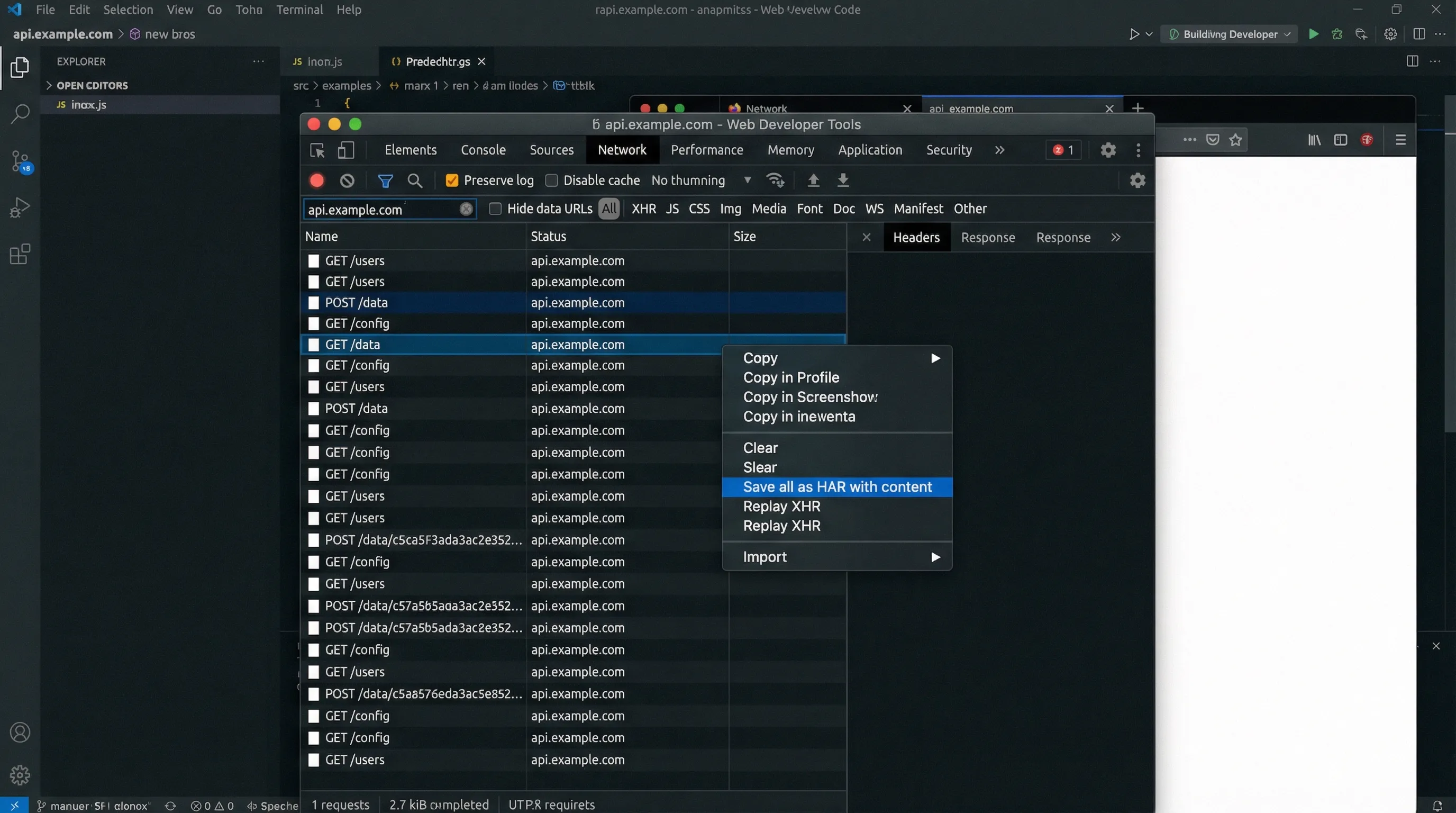
- Right-click in the Network request table.
- Choose Save all as HAR with content.
This matters because extraction and request chaining usually depend on response bodies. If you export without content, you often lose the values you need to parameterize (IDs, session state, CSRF tokens).
Quick verification after export
Before you share the HAR internally (or use it as input to generate YAML), do a fast check:
- Open the
.harin a text editor. - Search for:
authorizationcookietokenset-cookie- your email domain
If you find secrets or personal data, do not upload the HAR to tickets, chats, or PRs.
Redaction warning (read this before you attach a HAR anywhere)
HAR files commonly contain:
- Authorization headers (Bearer tokens, API keys)
- Session cookies
- Full request and response bodies (which may include PII)
Treat a HAR like a production log dump.
Use a consistent redaction process before sharing, and prefer committing the derived YAML flow (with secrets parameterized) rather than the raw HAR.
Redaction guide: How to Redact HAR Files Safely (Keep Tests Shareable, Remove Secrets)
How a clean HAR becomes reviewable YAML (what you are optimizing for)
Once you have a clean, domain-scoped HAR, you can convert it into a YAML flow and then make the flow deterministic by:
- Removing volatile headers
- Parameterizing secrets via environment variables
- Explicitly chaining requests (reference node outputs directly via
{{NodeName.response.body.field}})
A minimal example of the kind of output you want to end up reviewing in a PR looks like this:
env:
  BASE_URL: '{{BASE_URL}}'
  TEST_USER: '{{TEST_USER}}'
  TEST_PASSWORD: '{{TEST_PASSWORD}}'
  PROJECT_NAME: '{{PROJECT_NAME}}'

flows:
  - name: CreateAndFetchProject
    steps:
      - request:
          name: Login
          method: POST
          url: '{{BASE_URL}}/api/login'
          headers:
            Content-Type: application/json
          body:
            username: '{{TEST_USER}}'
            password: '{{TEST_PASSWORD}}'

      - if:
          name: CheckLogin
          condition: 'Login.response.status == 200'
          then: CreateProject
          depends_on: Login

      - request:
          name: CreateProject
          method: POST
          url: '{{BASE_URL}}/api/projects'
          headers:
            Authorization: 'Bearer {{Login.response.body.token}}'
            Content-Type: application/json
          body:
            name: '{{PROJECT_NAME}}'
          depends_on: Login

      - if:
          name: CheckCreate
          condition: 'CreateProject.response.status == 201'
          then: GetProject
          depends_on: CreateProject

      - request:
          name: GetProject
          method: GET
          url: '{{BASE_URL}}/api/projects/{{CreateProject.response.body.id}}'
          headers:
            Authorization: 'Bearer {{Login.response.body.token}}'
          depends_on: CreateProject

      - js:
          name: ValidateProject
          code: |
            export default function(ctx) {
              if (ctx.GetProject?.response?.status !== 200) throw new Error("Expected 200");
              if (ctx.GetProject?.response?.body?.id !== ctx.CreateProject?.response?.body?.id) {
                throw new Error("Project ID mismatch");
              }
              return { validated: true };
            }
          depends_on: GetProject
The cleaner the HAR, the less time you spend deleting irrelevant calls and the easier it is to see true dependency chains.
This also highlights a core workflow difference versus Postman/Newman and Bruno:
- Postman collections and Newman runs are often shaped by UI editing and collection structure, which tends to drift from the real browser sequence.
- Bruno is Git-friendly, but still relies on its own project format and conventions.
- A HAR-derived YAML flow starts from real browser traffic, then becomes plain text that is easy to diff, review, and run in CI.
Common problems (and how to fix them)
“My HAR still includes third-party requests even though I filtered”
Filtering affects what is shown and exported, but you likely:
- Exported before applying the filter
- Used a non-specific filter (string match instead of
domain:) - Included both app and third-party through a shared host pattern
Fix: clear, re-record, apply domain: filters early, then export.
“Requests show as (from disk cache) or bodies are missing”
Fixes:
- Ensure Disable cache is enabled and DevTools stayed open.
- Avoid recording after you have already loaded the page several times.
“I do not see the API call I expected”
Common causes:
- The call was served by a service worker.
- The call happened before you started recording.
- The UI action triggers multiple requests and you filtered too narrowly.
Fix: start recording earlier (Preserve log on), and broaden the filter temporarily to confirm what host actually serves the request.
“The export is huge”
This usually means you captured too much time or too many domains.
Fix: re-capture with:
- A shorter workflow
- A single domain filter
- No idle time in the tab
Frequently Asked Questions
Do I really need Preserve log? If your flow includes navigation (redirect-based auth, multi-page apps, login then dashboard), Preserve log prevents losing critical requests.
Should I always export “HAR with content”? For test generation and request chaining, yes. Without response bodies you often cannot extract IDs/tokens deterministically.
Can I filter the HAR after export instead of filtering in DevTools? You can, but it is easier to make mistakes and harder to guarantee you did not capture secrets. Filtering before export keeps the artifact smaller and safer.
Is disabling cache going to change behavior? Sometimes, especially for apps that rely on caching for performance. For API-flow capture, that is typically desirable because you want real responses and fewer “cached” artifacts.
How do I share a HAR safely with my team? Redact it first, then share via a secure channel with limited retention. Better, convert it to a YAML flow, parameterize secrets, and commit the YAML instead.
Why not just rebuild the requests in Postman or Bruno instead of capturing a HAR? Rebuilding is fine for simple endpoints, but HAR capture preserves the real sequence (auth handshakes, CSRF, hidden headers) so your YAML flow matches browser behavior before you simplify it for CI.
Turn that HAR into a Git-reviewed, CI-runnable YAML flow
Once you have a clean HAR, the next step is converting it into a deterministic flow you can review in pull requests and run locally or in CI.
- DevTools overview: dev.tools
- If you also need the “safe capture” basics: Generate a HAR file in Chrome (Safely)
- If you are migrating away from Postman/Newman in CI: Newman alternative for CI: DevTools CLI
- Redaction workflow (recommended before sharing any HAR): How to Redact HAR Files Safely